Replay Testing
Replays store player inputs rather than recorded video. During playback, the game simulates those inputs again, so a CRC mismatch shows that the tested build no longer produces the same game state as the original.
Requirements
Section titled “Requirements”- Replays made with a known-good, unmodified game version and their required maps.
- A retail-compatible build. Use the
vc6Release preset; it is optimized and leavesRTS_BUILD_OPTION_DEBUGoff. VC6 Debug builds and builds made with modern Visual Studio toolchains are not retail-compatible. - A working game installation containing the required retail data.
See Building with CMake for the build and installation steps. The maintained GeneralsReplays suite is also included as a GeneralsGameCode submodule and contains replays and maps for Generals 1.08 and Zero Hour 1.04.
Run the automated Zero Hour test
Section titled “Run the automated Zero Hour test”The current GeneralsGameCode CI replay check covers Zero Hour. To run the same kind of check locally:
-
Copy the Zero Hour replays into a subfolder of:
%USERPROFILE%\Documents\Command and Conquer Generals Zero Hour Data\Replays -
Copy every required map folder into:
%USERPROFILE%\Documents\Command and Conquer Generals Zero Hour Data\Maps -
Save the following as a
.batfile besidegeneralszh.exe. Replacecompatwith the replay subfolder name, then run the script:Terminal window @echo offstart "" /b /wait generalszh.exe -jobs 4 -headless -replay "compat\*.rep" > replay_check.log 2>&1set "replay_exit=%errorlevel%"echo Exit code: %replay_exit%pauseexit /b %replay_exit%
-headless disables the window, graphics, input, and audio. -jobs 4 checks up to four replays in parallel; adjust the
number for the computer, or omit -jobs to process them sequentially. -replay also accepts one replay filename and
can be repeated.
An exit code of 0 means every replay completed without a detected mismatch. An exit code of 1 means at least one
replay mismatched, could not be opened, or otherwise failed. Check replay_check.log for the affected replay and error.
Treat a replay that never finishes as a failure as well; the current CI stops the process after 10 minutes.
Check a replay manually
Section titled “Check a replay manually”Manual playback works for both games:
| Game | User-data folder |
|---|---|
| Generals | %USERPROFILE%\Documents\Command and Conquer Generals Data |
| Zero Hour | %USERPROFILE%\Documents\Command and Conquer Generals Zero Hour Data |
- Put each
.repfile in the folder’sReplaysdirectory and each required map folder in itsMapsdirectory. - Start the matching game build. The optional
-quickstart -winarguments make repeated tests more convenient. - Select Load → Load Replay and play the replay to completion. Press
Fto toggle fast-forward. - Treat a CRC mismatch as a failed test. Also compare the winner, unit behavior, and final scores with the known-good playback; divergence can make the cause easier to identify.
If a replay is missing from the list, fails immediately, or cannot be opened by the automated runner, first verify that it is in the correct game’s user-data folder and that its exact map is installed.
Replay sets
Section titled “Replay sets”Use the maintained GeneralsReplays suite for routine compatibility testing. These smaller curated packs remain useful for focused manual checks:
| Game | Pack | Coverage |
|---|---|---|
| Zero Hour | Golden replays | Two runs covering units, abilities, and general powers |
| Zero Hour | Skirmish | Skirmish on a standard map; expected result is included |
| Generals | Multiplayer | Three multiplayer matches; maps and results included |
| Generals | Skirmish | Skirmish on a standard map; expected result is included |
The expected score screens for the two Golden replays are run 1 and run 2.
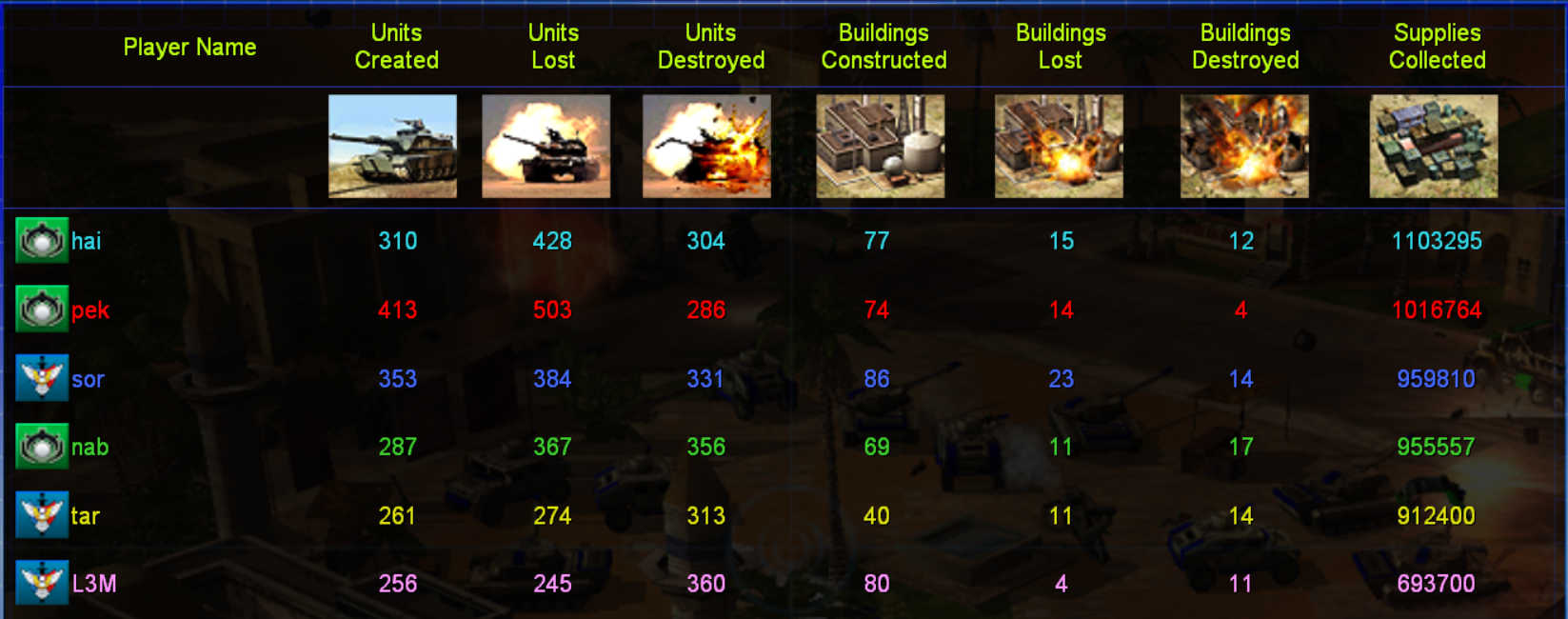
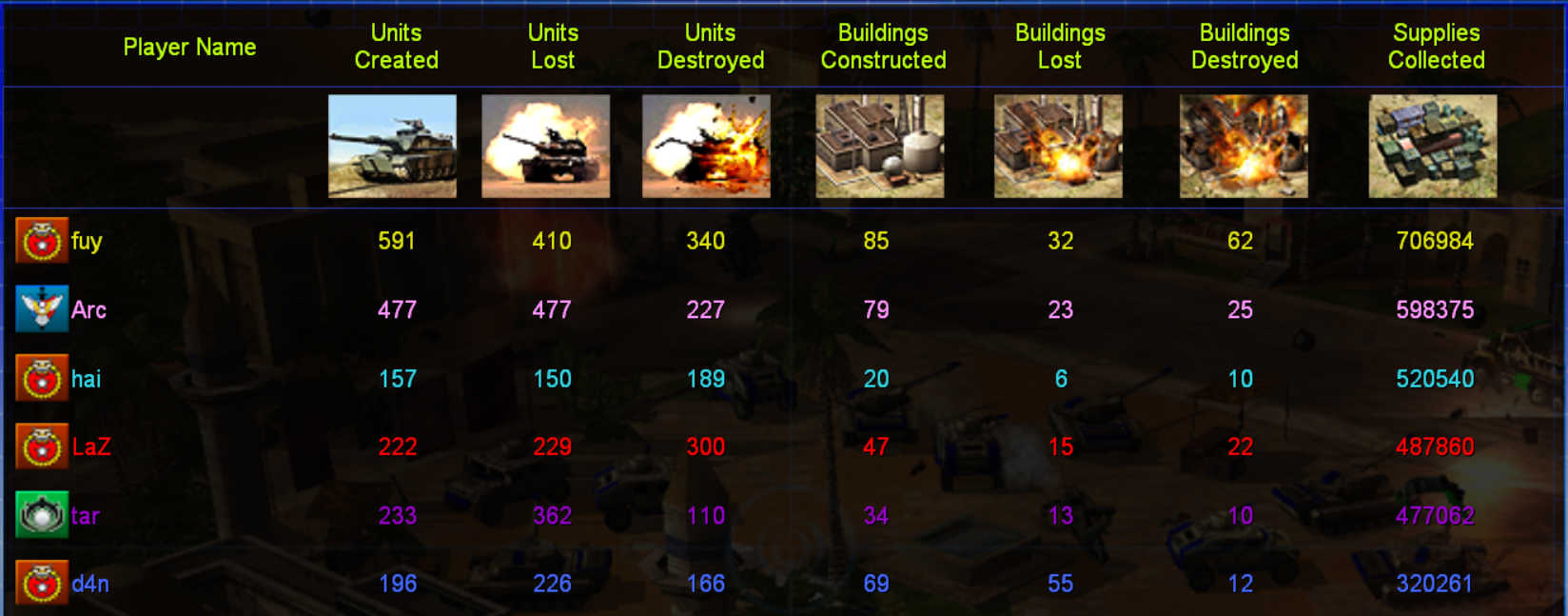
To make a new baseline, record and replay the match once in an unmodified retail installation—Generals 1.08 or Zero Hour 1.04—and save its final score before testing another build. For broad skirmish coverage, include an AI player from each faction; they do not need to be on the same team.